
Legend for this calculator guide
N = a key as printed; 2nd P/Y = BA II Plus second function (label above the key); f / g = HP 12C gold / blue shift; display results appear as 0.00. Numbers you type are shown plainly (e.g. 1000000).
Source note: formulas and several examples come from the GARP/Schweser Part I books (reading cited where used). Keystroke sequences follow the Texas Instruments and HP owner’s manuals — practise each one on your own calculator.
1. Permitted Calculators & Setup
What GARP allows, the settings to fix once, and how to clear before every question.
Calculators permitted in the FRM exam (GARP exam policy)
| Brand / rule | Detail |
|---|---|
| Texas Instruments | BA II Plus, including the BA II Plus Professional. |
| Hewlett Packard | HP 12C (including 12C Platinum, 12C Platinum 25th Anniversary Edition, 12C 30th Anniversary Edition and 12C Prestige), HP 10B II, HP 10BII+, HP 20B. |
| Rule | Any other calculator at any time ⇒ the exam is not graded. No exceptions. Bring fresh batteries. Always re-check the current list on garp.org before your exam. |
| Which to choose? | BA II Plus: algebraic entry, most Indian coaching material uses it, has bond/date/amortisation worksheets. HP 12C: RPN entry, very fast once learnt, built-in PRICE/YTM and dates. This guide covers both. |
1.1 BA II Plus — one-time setup (do this first)
| Setting | Keystrokes | Why |
|---|---|---|
| Reset to factory defaults | 2nd RESET ENTER CE/C | Clears everything. After a reset P/Y = 12, DEC = 2, method = Chn. |
| Payments per year = 1 | 2nd P/Y 1 ENTER 2nd QUIT | Then I/Y = rate per period. C/Y changes to 1 automatically. |
| 4 decimal places | 2nd FORMAT 4 ENTER 2nd QUIT | Shows answers such as 0.0769 or 7.0728. Use 9 for floating. |
| Algebraic (AOS) order | 2nd FORMAT ↓ ↓ ↓ ↓ (shows Chn) 2nd SET (shows AOS) 2nd QUIT | With Chn, 2 + 3 × 4 = 20; with AOS, = 14 (normal maths). AOS recommended. |
| End-mode payments | 2nd BGN (if BGN shows: 2nd SET) 2nd QUIT | “BGN” in the display = annuity due. Normal problems need END (no indicator). |
1.2 HP 12C — one-time setup
| Setting | Keystrokes | Why |
|---|---|---|
| 4 decimal places | f 4 | Display only; the HP always keeps full precision internally. |
| End-mode payments | g END (blue label on 8) | “BEGIN” in the display = annuity due (g BEG on 7). |
| Date format | g M.DY (on 5) | Dates keyed as MM.DDYYYY (g D.MY for DD.MMYYYY — “D.MY” shows). This guide uses M.DY. |
| No P/Y setting | — | i is always the rate per period and n the number of periods. Use g 12× / g 12÷ for monthly problems. |
| Change sign | CHS | Not the − key. Enter outflows as negative. |
Clearing — do it before every question
- BA: TVM registers2nd CLR TVM (above FV) — sets N, I/Y, PV, PMT, FV to 0. CE/C alone does not clear them.
- BA: a worksheetOpen it (e.g. CF, 2nd DATA, 2nd BOND) then 2nd CLR WORK (above CE/C).
- BA: leave a worksheet2nd QUIT (above CPT).
- HP: financial registersf FIN (gold, above x≷y) — clears n, i, PV, PMT, FV.
- HP: all registersf REG (above CLx) — clears financial, statistics, memory and cash flows. Use before NPV/IRR.
- HP: statisticsf Σ (above SST) — clears the statistics registers (and the stack).
- HP: display onlyCLx.
2. HP 12C: How RPN Works
Reverse Polish Notation in five minutes — no equals key, no brackets.
2.1 The stack and the ENTER key
The HP holds numbers in a four-level stack (X, Y, Z, T). The display is X. ENTER copies X into Y so you can type the next number. An operation (+ − × ÷ yx) combines Y and X and puts the result in X. One-number functions (g LN, g ex, g √x, g x², 1/x) act on X only.
Rule of thumb: type the first number, press ENTER, type the second, press the operation. After an operation the answer is ready for the next step — no need to press ENTER again (a new number automatically pushes it up to Y). x≷y swaps X and Y; R↓ rolls the stack; g LSTx recalls the last X.
Worked example — RPN warm-up
3. Maths Keys & FRM Formulas
Exponentials, logs, powers, factorials — and the exam formulas that use them.
3.1 Where the maths functions are
| Function | BA II Plus | HP 12C |
|---|---|---|
| ex | 2nd ex (above LN) | g ex (on 1/x) |
| ln x | LN | g LN (on %T) |
| x², √x | x², √x | g x² (on ×), g √x (on yx) |
| yx | y yx x = | y ENTER x yx |
| 1/x | 1/x | 1/x |
| n! | n 2nd x! | n g n! (on 3) |
| nCr (combinations) | n 2nd nCr r = | n! / [r! (n − r)!] by hand |
| Change sign | +/− | CHS |
| Previous answer | 2nd ANS | automatic (stack) |
Worked example — FRM formulas on the calculator (BA II Plus in AOS mode)
Worked example — The same formulas on the HP 12C (RPN)
4. Time Value of Money (TVM)
The five TVM keys, sign convention, annuities, annuity due, monthly problems, perpetuities.
4.1 The five keys
| Variable | BA II Plus | HP 12C | Meaning |
|---|---|---|---|
| Number of periods | N | n | Years × payments per year |
| Rate per period | I/Y | i | In % (8, not 0.08). With P/Y = 1 on the BA, key the periodic rate |
| Present value | PV | PV | Today’s amount |
| Payment | PMT | PMT | Level amount each period (coupon, instalment) |
| Future value | FV | FV | Amount at the end (face value) |
| Solve | CPT then the key | just press the key | HP has no CPT key |
Sign convention: money you pay out is negative, money you receive is positive. PV and FV (or PV and PMT) must have opposite signs, otherwise both calculators show Error 5 (no solution). Enter known values in any order; enter 0 for anything not used (or clear first).
Worked example — Future value and present value
HP: f FIN 5 n 8 i 100000 CHS PV FV ⇒ 146,932.8077
HP: 10 n 7 i 500000 FV 0 PMT PV ⇒ −254,174.6461
HP: 2 g 12× 3 g 12÷ 1000 FV 0 PMT PV ⇒ −941.8351
Worked example — Annuity, annuity due and perpetuity
HP: 10 n 10 i 100 PMT 0 FV PV
5. Interest-Rate Conversion
Nominal vs. effective, periodic, and continuously compounded rates (VRM Ch. 10; FMP).
5.1 Formulas and keys
HP 12C: no worksheet — use the formula, or the TVM trick: m n Rm/m i 100 CHS PV 0 PMT FV gives 100 × (1 + EAR).
Worked example — Converting 6% semiannual (Schweser VRM Reading 56)
6. Bond Price & YTM on a Coupon Date
Pricing with TVM, semiannual coupons, yield to maturity, current market examples.
6.1 Method
TVM mapping: N = years×m, I/Y = y/m, PMT = coupon/m, FV = face, solve PV
For YTM, enter the price as a negative PV, solve I/Y, then multiply by m (bond-equivalent yield). Indian G-secs and US Treasuries pay semiannually (m = 2); many corporate bonds pay annually.
Worked example — Bond prices
HP: 10 n 8 i 100 PMT 1000 FV PV
HP: 20 n 3.5 i 3.63 PMT 100 FV PV
Worked example — Yield to maturity
HP: 10 n 700 CHS PV 100 PMT 0 FV i
7. Between Coupons, Accrued Interest & Duration
Day counts, BA BOND worksheet, HP PRICE/YTM, clean vs. dirty, effective duration, convexity, DV01.
7.1 Day counts and accrued interest (VRM Ch. 9)
Dirty (full) price = Clean (quoted) price + AI
HP: g M.DY; date1 ENTER date2 g ΔDYS ⇒ actual days; x≷y ⇒ 30/360 days. Dates as MM.DDYYYY (11.152029).
7.2 BA II Plus BOND worksheet and HP PRICE / YTM
HP: yield i coupon % PMT settlement ENTER maturity f PRICE (gold, above yx) ⇒ clean price; x≷y ⇒ AI; + ⇒ dirty price. For yield: clean price PV coupon PMT settlement ENTER maturity f YTM (above 1/x). HP PRICE/YTM assume semiannual coupons, actual/actual days and redemption at 100. For annual-coupon or 30/360 bonds use the BA worksheet or the formula.
Worked example — 6% semiannual bond between coupon dates
Coupons 15 May / 15 Nov; matures 15 Nov 2034; settles 10 Mar 2030; yield 7%. Last coupon 15 Nov 2029, next 15 May 2030.
HP: 7 i 6 PMT 3.102030 ENTER 11.152034 f PRICE ⇒ 96.0535; x≷y ⇒ 1.9061; + ⇒ 97.9596
7.3 Effective duration, convexity and DV01 by repricing (VRM Ch. 12)
Price the bond three times with TVM, changing only I/Y: at the yield, yield +Δy, yield −Δy. Store each price (STO 1, 2, 3) and apply the formulas. This works on any permitted calculator and matches how GARP defines effective duration.
Worked example — 10-yr 6% semiannual bond at 7%, Δy = 50 bp
8. NPV & IRR (Cash-Flow Worksheet)
Cash-flow worksheet, grouped (repeated) cash flows, both calculators.
8.1 Keys
HP: f REG; amount g CF0 (on PV); amount g CFj (on PMT); count g Nj (on FV) for repeats; rate i; f NPV (above PV); f IRR (above FV).
Worked example — Project: −INR 10 lakh; then 3, 4, 4, 2 lakh; cost of capital 10%
9. Loan & Mortgage Amortisation
Level payment, interest vs. principal split, balance outstanding (FMP mortgages).
9.1 Keys
First solve the payment with TVM. Then:
HP: after the payment is computed: 0 n; number of payments f AMORT (above n) ⇒ interest; x≷y ⇒ principal; RCL PV ⇒ remaining balance. Repeat for the next block (it continues from where it stopped). HP AMORT rounds each result to the number of decimals displayed — set f 2 for money.
Worked example — 30-year USD 750,000 mortgage at 5% (monthly)
10. Statistics: One Variable
Mean, sample and population standard deviation (Quant Analysis).
10.1 Keys
HP: f Σ; each value Σ+; g x̄ (on 0) = mean; g s (on .) = sample s.d. (the HP has no population s.d. key — see trick below).
Worked example — Monthly returns 2%, −1%, 3%, 4%, −2%
11. Statistics: Regression, Correlation, Beta
Two-variable data, slope, intercept, correlation, covariance, forecasts (Quant Analysis).
11.1 Keys
HP: f Σ; for each pair: y ENTER x Σ+ (y first!). g x̄ ⇒ x̄, x≷y ⇒ ȳ; g s ⇒ sx, x≷y ⇒ sy; value of x g ŷ,r (on 2) ⇒ ŷ, x≷y ⇒ r.
Worked example — Beta of a stock against NIFTY 50 (six monthly returns, %)
NIFTY (x): 1.2, −0.8, 2.1, 0.5, −1.5, 1.9 Stock (y): 1.8, −1.5, 2.6, 0.2, −2.4, 2.5
12. Probability-Weighted Mean & Standard Deviation
Expected return and risk from scenarios (Quant Analysis; FMP).
12.1 Formulas and the BA frequency trick
HP: weighted mean with R ENTER p Σ+ for each scenario, then g x̄w (on 6). The HP has no weighted s.d. key — compute σ² by the formula with STO / RCL.
Worked example — Three scenarios: 15% (p = 0.30), 5% (0.50), −10% (0.20)
13. Memory, Speed Tricks & Common Errors
Store and recall, chain calculations, error messages, exam-day checklist.
13.1 Memory
HP: value STO n and RCL n for n = 0–9 and .0–.9 (fewer on some models when programs are stored). STO + 1 adds to R1. Do not use R1–R6 while doing statistics — the HP keeps its Σ sums there. Store intermediate results instead of re-typing rounded values — e.g. store u and d in a binomial tree, or P0, P+, P− for duration. It removes rounding errors and saves time.
Common errors and how to fix them
| Symptom | Fix |
|---|---|
| Answer is off by a large factor | BA P/Y is 12 (or C/Y ≠ P/Y). Set 2nd P/Y 1 ENTER. |
| Error 5 (TVM, IRR) | Signs: PV and FV/PMT must have opposite signs; IRR needs at least one sign change. |
| TVM answer slightly wrong | BGN mode left on; old PMT/FV not cleared; decimals too few (use 4). |
| BA arithmetic “wrong” | Method is Chn, not AOS. Set AOS or use brackets. |
| BA worksheet value not saved | Pressed ↓ without ENTER. |
| Dates rejected | BA uses MM.DDYY (years 1950–2049); HP uses MM.DDYYYY after g M.DY. Using the wrong format swaps day and month. |
| HP gives nonsense | Stack confusion: press ENTER between two typed numbers; clear with f REG. |
| Percent vs. decimal | TVM keys take 8 for 8%; formulas (e.g. erT) need 0.08. |
| Negative number typed wrongly | Use +/− (BA) or CHS (HP) after the digits, not the minus key. |
Exam-day checklist
| When | Action |
|---|---|
| Before the exam | Model is on GARP’s list; fresh battery (spare); practised every chapter of this guide on your calculator. |
| At the start | BA: P/Y = 1, 4 decimals, AOS, END mode. HP: f 4, END, M.DY. |
| Every question | Clear TVM/worksheet (BA) or f FIN / f REG (HP). Write the TVM inputs on the scratch sheet before keying. |
| Sanity checks | Premium bond if coupon > yield; annuity due = ordinary ×(1 + i); IRR > hurdle ⇔ NPV > 0; population s.d. < sample s.d. |
14. One-Page Quick-Reference Card
Print and keep in your formula notebook.
| Task | BA II Plus | HP 12C |
|---|---|---|
| Setup | 2nd P/Y 1 ENTER; 2nd FORMAT 4 ENTER; AOS; END | f 4; g END; g M.DY |
| Clear | 2nd CLR TVM; 2nd CLR WORK | f FIN; f REG; f Σ |
| TVM | N, I/Y, PV, PMT, FV; CPT key | n, i, PV, PMT, FV; press key |
| Monthly | N = 12×yrs, I/Y = rate/12 | g 12×, g 12÷ |
| Annuity due | 2nd BGN 2nd SET | g BEG |
| ex / ln | 2nd ex / LN | g ex / g LN |
| yx | y yx x = | y ENTER x yx |
| n!, nCr | 2nd x!, 2nd nCr | g n!; nCr via factorials |
| Rate conversion | 2nd ICONV: NOM, EFF, C/Y | formula or TVM trick |
| Days between dates | 2nd DATE: DT1, DT2, DBD | g ΔDYS |
| Bond price / AI | 2nd BOND: SDT, CPN, RDT, RV, ACT, 2/Y, YLD, PRI, AI | f PRICE; x≷y = AI |
| Bond yield | BOND: key PRI, CPT YLD | price PV … f YTM |
| NPV / IRR | CF CF0, C01, F01…; NPV, IRR | g CF0, g CFj, g Nj; f NPV, f IRR |
| Amortisation | 2nd AMORT: P1, P2, BAL, PRN, INT | 0 n; k f AMORT; x≷y; RCL PV |
| 1-var stats | 2nd DATA; 2nd STAT 1-V: x̄, Sx, σx | Σ+; g x̄, g s |
| Regression | 2nd STAT LIN: a, b, r | y ENTER x Σ+; g ŷ,r |
| Weighted mean | Y = probability ×100; read x̄, σx | R ENTER p Σ+; g x̄w |
| Memory | STO / RCL 0–9 | STO / RCL 0–9, .0–.9 |
Prepared by RBei Classes for FRM Part I revision. Keystroke sequences follow the Texas Instruments BA II Plus and HP 12C owner’s manuals; display formats can differ slightly between model editions, so practise on your own calculator. GARP® and FRM® are trademarks of the Global Association of Risk Professionals, which does not endorse this material. BA II Plus is a trademark of Texas Instruments; HP 12C of HP Inc. Always confirm the permitted-calculator list on garp.org.
FRM Success Stories from RBei Classes
Named FRM results with external proof. Browse more on the student results hub.
-
 FRM
FRM
Niketa Shringi
Canada-based finance and risk professional and Ontario Tech MFDA candidate who passed FRM Part 1 in the August 2026 window with RBei Classes video lectures and mind-map notes
Read the full story → -
 FRM
FRM
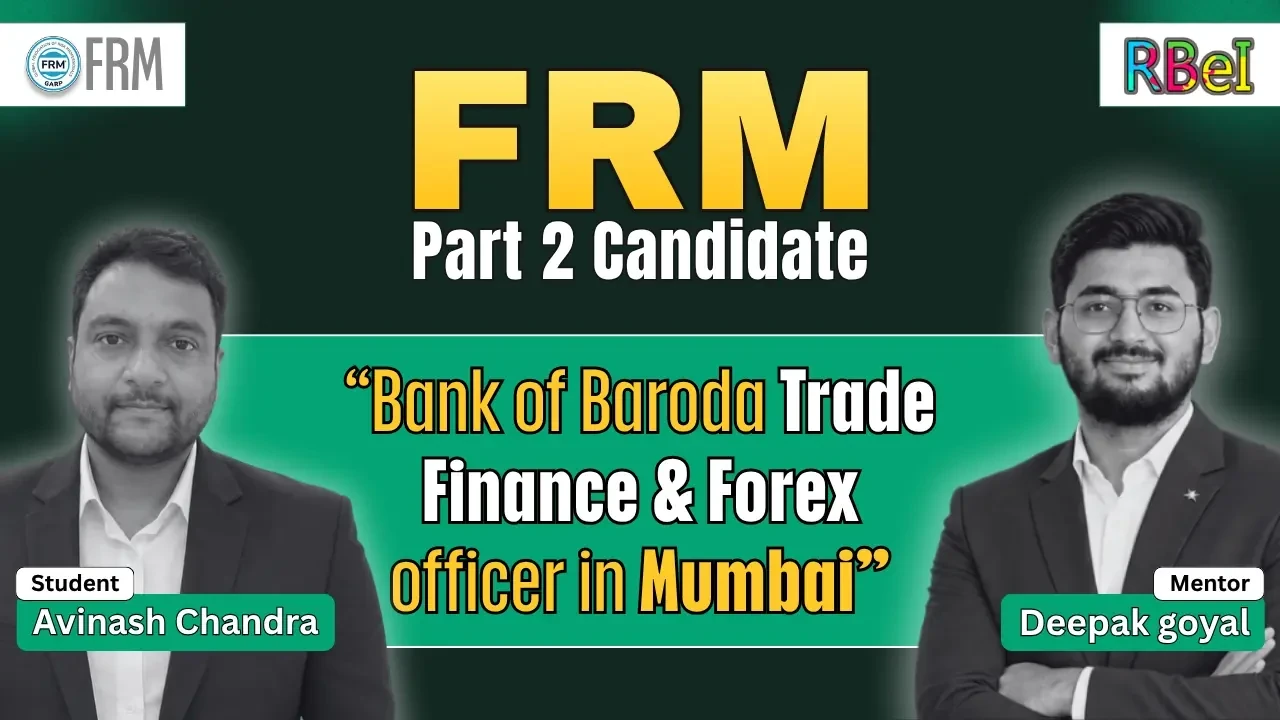
Avinash Chandra
Bank of Baroda Trade Finance & Forex officer in Mumbai who cleared FRM Part 2 and earned the GARP FRM designation in 2026 with RBei Classes
Read the full story → -
 FRM
FRM
Bhavesh Jain
Senior Murex Risk SME at Luxoft in Singapore who earned the full GARP FRM designation in 2026 with RBei Classes
Read the full story →
FRM Calculator Guide FAQs
Get Your FRM Calculator Guide Now
BA II Plus & HP 12C keystrokes, exam traps and a one-page quick-reference card — free from RBei Classes.